Excellence through Innovation


| home |
| software •iPhone •print industry •health care •other |
| about us |
| clients |
| contact |
iPhone Software |
Psalm Daily Quotes
Taken from the
Software for the
iPhone and iPod Touch
Click button to buy at Apple iTunes Store
Start your day with a quote from the Psalms or browse through the hundreds of quotes in the collection. You will find each quote to be thought provoking and uplifting.
NKJV—the beauty and accuracy of the KJV, in a contemporary, readable language.
When a customer considers the important factors in choosing a Bible translation—accuracy, beauty, and ease of understanding—the choice is clear. Only the New King James Version offers precision and clarity without sacrificing readability.
Commissioned in 1975 by Thomas Nelson Publishers, 130 respected Bible scholars, church leaders, and lay Christians worked for seven years to create a completely new, modern translation of Scripture, yet one that would retain the purity and stylistic beauty of the original King James. With unyielding faithfulness to the original Greek, Hebrew, and Aramaic texts, the translators applied the most recent research in archaeology, linguistics, and textual studies.
The result is a Bible that is both beautifully worded and trustworthy, ideal for study, teaching, personal reading, and congregational use. No wonder the NKJV over the last several years has consistently been the fastest-growing translation of the complete Bible, selected by more than 25 million customers since its release! The New King James Version is also the preferred translation of thousands of today's most prominent Christian leaders.
Each quote is set against a beautiful nature image background. What's the difference? This application is more than just a verse and pretty picture. Each picture has been carefully chosen to match the verse below through some keyword or concept whenever possible. You will enjoy seeing how images of cuddly creatures, mountains, stars, sunsets, sheep, penguins and more make the inspirational verse more interesting and meaningful. Elegance and ease of operation characterize this application. The inspirational verse of the day is delivered quickly and additional verses are available with the tap of a finger. Software Features
New King James Version
Scripture taken from the New King James Version®. Copyright © 1982 by Thomas Nelson, Inc. Used by permission. All rights reserved.
Photo Credits
Developer Notes Operational Notes
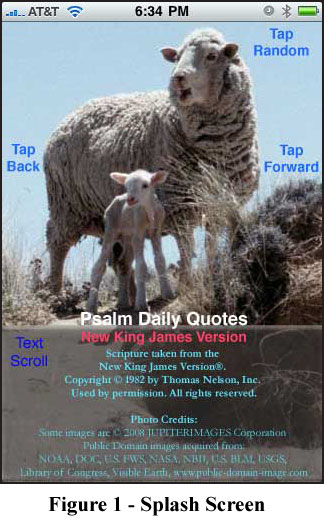
Upon launching, the daily quote is automatically presented. If you wish to view tomorrow's quote, tap the screen in the middle right area. If you wish to view yesterday's quote, tap the screen in the middle left area. You can advance the quotes forward or backward as far as you want with additional taps. It is also possible to view the quotes in a random order by tapping the top of the screen.
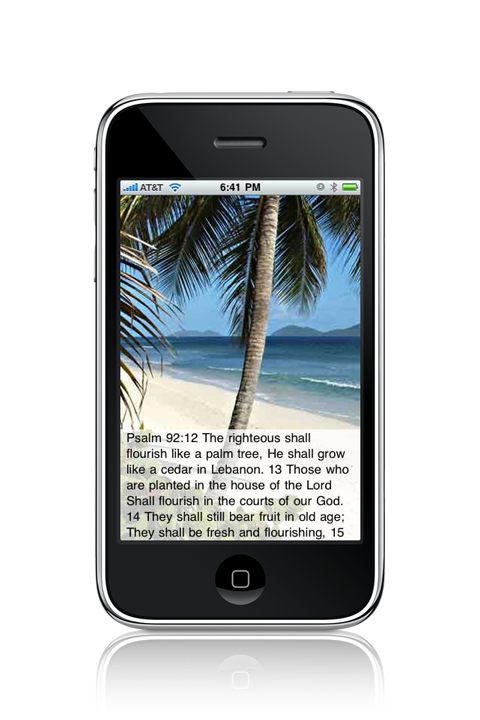
Below are additional screen shots from the collection.
|

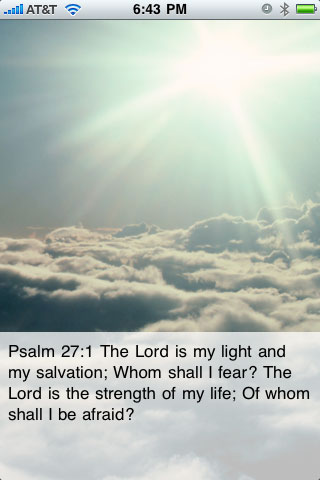
 The splash screen in Figure 1 indicates the simple operation
of the application. The quote text occupies the lower third of the screen on a
semi-transparent background. If the quote is longer than the box, it can be
scrolled by swiping a finger up or down within the box.
The splash screen in Figure 1 indicates the simple operation
of the application. The quote text occupies the lower third of the screen on a
semi-transparent background. If the quote is longer than the box, it can be
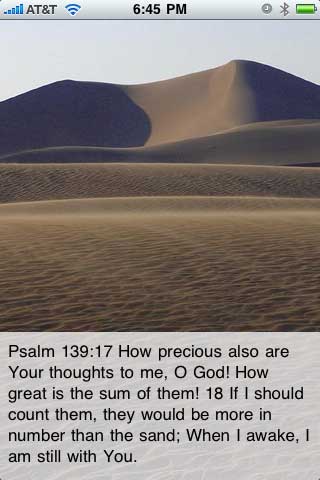
scrolled by swiping a finger up or down within the box. Figure 2 shows a case where the entire quote fits within the
text box. The reference for each Psalm excerpt is clearly presented on each screen. If you wish to read further than the excerpt, there are many fine iPhone Bible applications.
Figure 2 shows a case where the entire quote fits within the
text box. The reference for each Psalm excerpt is clearly presented on each screen. If you wish to read further than the excerpt, there are many fine iPhone Bible applications. In Figure 3 you will notice that the entire quote does not
fit in the text box. In order to view the rest of the quote, you can use an up or down
swipe gesture within the text box to scroll the text.
In Figure 3 you will notice that the entire quote does not
fit in the text box. In order to view the rest of the quote, you can use an up or down
swipe gesture within the text box to scroll the text.

|
|
|